
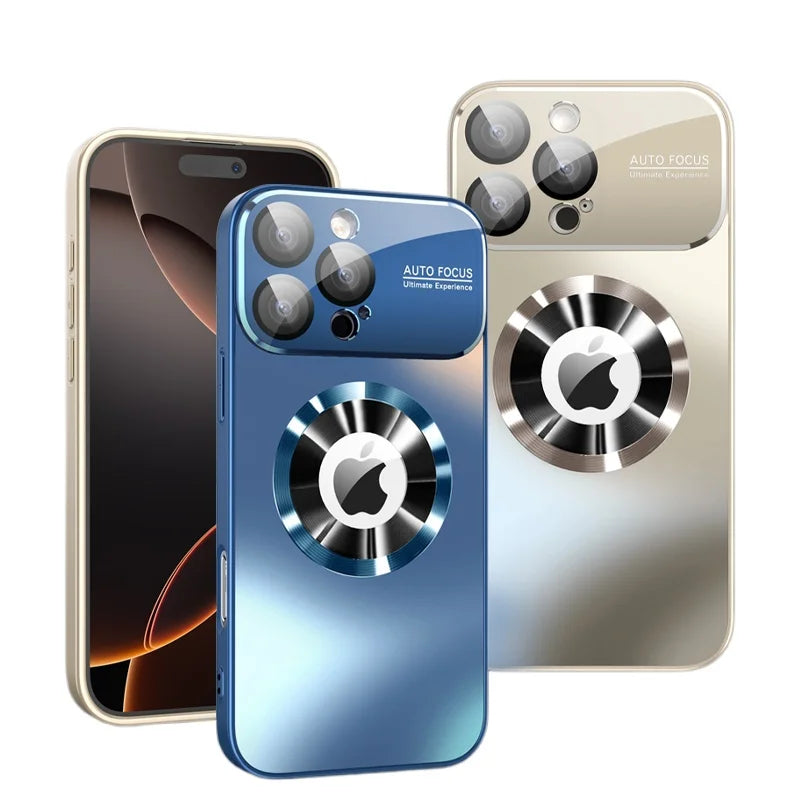
Unboxing a new iPhone 18 Pro, iPhone 18 Pro Max or iPhone Duo is exciting, and the first hour is the best time to set it up properly. The steps below help you protect the finish from day one, get the most out of 25W MagSafe and Qi2 charging, and build habits that keep your phone scratch-free for years. Still deciding on a model? Read our iPhone 18 Pro vs Pro Max vs iPhone Duo comparison.
1. Protect It Before It Leaves the Desk
Most scratches happen in the first few days, when a new phone goes straight into a pocket with keys or onto a gritty table. Have your protection ready before you peel off the factory film:
- Screen: apply a 9H Tempered Glass Screen Protector (or the iPhone Duo screen protector for the outer display) while the screen is still perfectly clean.
- Camera: add a Metal Camera Lens Protector on iPhone 18 Pro or Pro Max, or the Tempered Glass Camera Lens Protector on iPhone Duo.
- Case: snap on a case made for your exact model from iPhone 18 Pro Cases, iPhone 18 Pro Max Cases or iPhone Duo Cases.
Our screen and camera protection guide walks through installation step by step.
2. Move Your Data and Set Up eSIM
Hold your old iPhone next to the new one and Quick Start will offer to transfer your apps, settings and data. In the U.S. and several other countries, iPhone 18 Pro and Pro Max are eSIM-only, and iPhone Duo is eSIM-only worldwide, so have your carrier account login handy to move your number. Apple notes eSIM-only models gain extra battery capacity from the space a SIM tray would use.
3. Get the Most From MagSafe and Qi2
All three new models support MagSafe and Qi2 wireless charging at up to 25W. To get that speed and a secure snap, your case needs built-in magnets aligned with the phone's magnet array.
- Choose a MagSafe case: designs like the Titanium Matte MagSafe Lens Protection Case, the Woven MagSafe Case or the Clear Magnetic Kickstand Case keep magnetic chargers, mounts and wallets locked on. Browse all iPhone MagSafe Cases.
- Use the right charger: Apple's fast wireless figures (up to 50 percent in about 30 minutes) require a MagSafe Charger paired with a 35W or higher adapter.
- Wired fast charge: iPhone 18 Pro reaches up to 50 percent in around 15 minutes with a 60W-capable USB-C adapter that supports Adjustable Voltage Supply.
- Avoid metal plates and thick folios: they can block the magnets or slow wireless charging. If you want a wallet, a 2-in-1 Detachable MagSafe Wallet Case lets you remove the inner case for charging.
4. Set Up a Hands-Free Stand
A stand makes video calls, recipes and streaming easier. On iPhone 18 Pro and Pro Max, ring and lens-stand cases such as the Metal Ring Stand MagSafe Case or the MagSafe Ring Stand Bumper Case work in portrait and landscape. iPhone Duo can already prop itself up half-open, and Apple highlights StandBy on either display, so a hinge case with a kickstand adds even more angles. See more in iPhone Kickstand Cases.
5. Customize the New Camera Controls
On iPhone 18 Pro models, open the Camera app and explore Pro controls, which let you change lens aperture, shutter speed and white balance and view a live histogram. If photo authenticity matters to you, try Apple Reference Image, an opt-in mode that saves a signed reference alongside your photo. A lens protector keeps the module clean, but wipe it with a microfiber cloth before important shots.
6. Daily Habits That Prevent Scratches
- Give your phone its own pocket. Keys and coins are the most common cause of screen and lens scratches.
- Place it screen-up or in a case with a raised lip. A lip keeps the display and camera off tabletops.
- Clean the case regularly. Grit trapped between case and phone can mark the finish. Remove the case every few weeks and wipe both sides.
- Mind the sand and pool. IP68 resistance is not permanent and can decrease with wear. A sealed water-resistant case adds protection from sand and splashes at the beach, but it is not meant for swimming.
- On iPhone Duo, close gently. Keep crumbs and grit off the inner display before folding, and use a case that covers the hinge.
7. Carry It Your Way
Apple's own accessories this year include crossbody and wrist straps, and the hands-free trend is everywhere. If you would rather wear your phone, look at iPhone Crossbody Cases like the Zipper Crossbody Wallet Case for iPhone 18 Pro and Pro Max. Prefer a minimal everyday wallet? See iPhone Wallet Cases.
Frequently Asked Questions
Do I need a MagSafe case for 25W wireless charging?
The phone charges wirelessly without a case, but if you use one, a MagSafe-compatible case with built-in magnets keeps the charger aligned and attached.
Should I remove the factory screen film?
Yes. The film is for shipping only. Remove it just before installing your screen protector so the display stays dust-free.
Is iPhone 18 Pro waterproof?
It is rated IP68 (up to 6 meters for up to 30 minutes) for splash, water and dust resistance, but it is not waterproof, and liquid damage is not covered under Apple's warranty.
What should I set up first on iPhone Duo?
Fit a hinge-protecting case and outer screen protector first, then explore Split View and StandBy. Our iPhone Duo case guide has case picks.
Share:
iPhone 18 Pro vs iPhone 18 Pro Max vs iPhone Duo: Which New iPhone Should You Buy?
How to Protect the iPhone 18 Pro Screen and Camera: Screen Protectors and Lens Protectors Explained